Brake Health Diagnostic Tool
🚗 Brake Condition Checker
Select all symptoms you are currently experiencing with your vehicle's braking system.
There is no sound more unsettling in a quiet street than the high-pitched shriek of metal grinding against metal. It’s your car screaming for help. Most drivers ignore it until it becomes a problem, but by then, the damage is often done. Knowing how to tell if your brake pads are bad isn’t just about saving money on repairs; it is about keeping yourself and others safe on the road.
Brakes are the only thing standing between you and a disaster when you need to stop quickly. Unlike an engine that might sputter before failing, brakes can fail silently or suddenly. This guide breaks down exactly what to look for, listen for, and feel for when your braking system is wearing out. We will move beyond generic advice and give you specific, actionable steps to diagnose your vehicle’s health right now.
The Warning Sounds: Decoding What Your Car Is Telling You
Your car communicates through noise. When it comes to brakes, three distinct sounds usually indicate different stages of wear. Understanding these differences helps you act before a minor issue turns into a major repair bill.
Squealing or Squeaking is the most common early warning sign. Modern brake pads come with a small metal tab called a wear indicator. When the pad material wears down to a critical thickness (usually around 3-4mm), this tab scrapes against the rotor, creating a high-pitched noise designed to annoy you into action.
If you hear this only when applying the brakes lightly, your pads are likely worn but still have some life left. However, if the squeal persists even without pressing the pedal, it could mean debris is stuck between the pad and rotor, or the caliper is sticking. Don't ignore it. While it might not be an emergency, it is a deadline.
A second sound is a low, rumbling growl. This often happens when the pad material is completely gone, and the backing plate is dragging on the rotor. This is serious. The friction here generates immense heat, which can warp the rotors. Warped rotors cost significantly more to replace than brake pads do. If you hear this, pull over safely and call for assistance immediately.
Finally, there is the "clunking" noise. This doesn’t always mean the pads are bad, but it indicates loose hardware. If your brake calipers or shims aren’t secured properly, they can rattle at low speeds. While this might not affect stopping power immediately, it suggests the entire assembly needs inspection to prevent parts from falling off while driving.
Physical Sensations: What You Feel Through the Pedal and Steering Wheel
Sounds are obvious, but physical feedback is often more accurate. Pay attention to how your car behaves when you press the brake pedal. Changes in texture, distance, and vibration are key indicators of internal failure.
- Vibration in the Steering Wheel: If your steering wheel shakes violently when you brake, especially at higher speeds, your rotors are likely warped. This warping is almost always caused by overheating due to old, thin brake pads. The uneven surface of the rotor grabs and releases the pad rapidly, causing the shimmy you feel in your hands.
- Pulsating Brake Pedal: Similar to steering wheel vibration, if the brake pedal itself pulses or throbs under your foot, the rotors are uneven. This is a secondary symptom of neglected brake pads. The heat transfer from the friction material has distorted the steel disc.
- Spongy or Soft Pedal: If the brake pedal feels soft, squishy, or goes closer to the floorboard than usual, you may have air in the brake lines or a leak in the master cylinder. While this isn't directly a "bad pad" issue, it often coincides with maintenance intervals. A sinking pedal means reduced hydraulic pressure, which drastically increases stopping distances.
- Hard Pedal: Conversely, if the pedal feels rock hard and requires excessive force to stop the car, your booster might be failing, or the vacuum assist is lost. This makes braking difficult and dangerous, particularly in emergencies.
Visual Inspection: How to Check Your Pads Yourself
You don’t need a lift or a mechanic to check your brake pads. All you need is a flashlight and a bit of curiosity. Here is how to do a quick visual inspection from the outside.
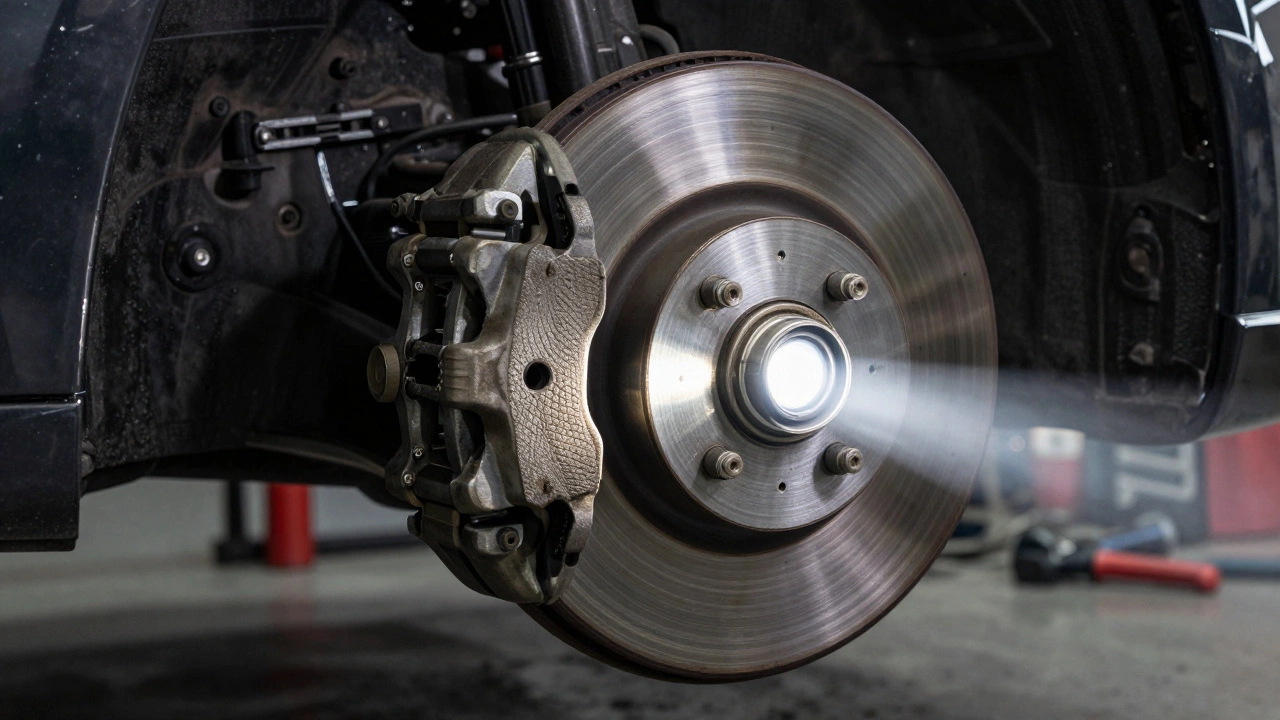
- Locate the Rotors: Look through the spokes of your wheel. Behind the tire, you will see a shiny metal disc (the rotor) and a caliper assembly clamping onto it.
- Find the Pad Material: The brake pad sits inside the caliper. Look for the dark, rectangular block of friction material. There is usually an outer pad visible from the side.
- Measure the Thickness: New brake pads are typically 10-12mm thick. If the pad looks thinner than a pencil eraser (about 3mm), it is time to replace them. If you can see the metal backing plate clearly with very little black material left, you are dangerously close to damaging your rotors.
- Check for Uneven Wear: Look closely at the pad. Is one side much thinner than the other? This indicates a sticking caliper slide pin. If a caliper sticks, it drags one pad constantly, overheating it and wearing it out prematurely while leaving the other side intact. This requires professional repair, not just a pad swap.
Keep in mind that rear brake pads often last longer than front ones because the weight of the car shifts forward during braking, putting more load on the front wheels. Always check all four corners, but prioritize the fronts if you are short on time.

Performance Issues: Longer Stopping Distances and Pulling
Sometimes, there are no noises and no vibrations, but the car just feels "off." These subtle performance changes are critical red flags.
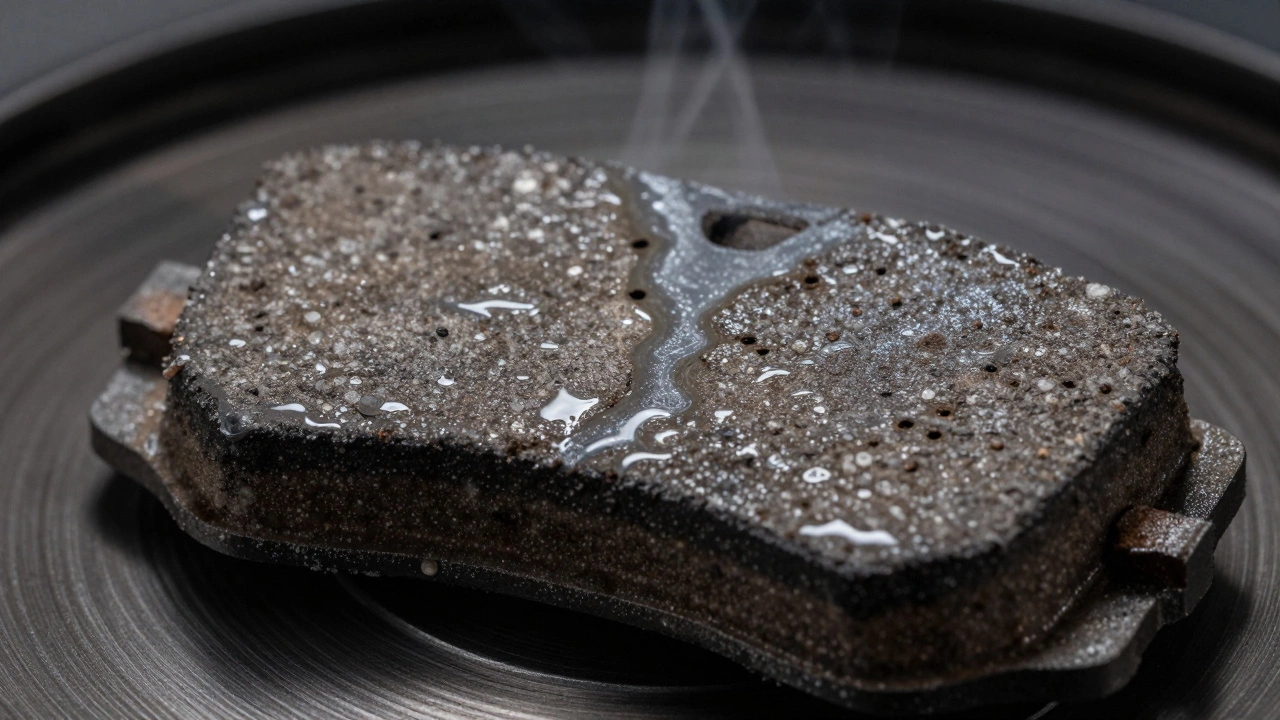
If you find yourself pressing the brake pedal harder or earlier than usual to achieve the same stopping result, your friction material may be glazed. Glazing occurs when brake pads overheat, causing the resin binder to melt and create a smooth, glass-like surface. This surface has poor grip. You can sometimes fix glazing by sanding the pad surface lightly, but if the pads are also thin, replacement is the safer bet.
Another major sign is the car pulling to one side when braking. In modern cars with ABS, this can be tricky to diagnose. It could be a seized caliper on one side, a collapsed brake hose, or uneven pad wear. If your car consistently drifts left or right when you slam on the brakes, this is a stability hazard. On wet roads or slippery surfaces, this pull can cause a loss of control. Do not drive like this.
The Dashboard Light: Don't Ignore the Red Exclamation Mark
Most modern vehicles have a brake warning light on the dashboard. It usually looks like an exclamation point inside a circle, surrounded by parentheses. When this light illuminates, it is triggered by sensors embedded in the brake pads.
These sensors are wires that run through the pad material. When the pad wears down enough, the rotor cuts through the wire, completing a circuit that triggers the light. Some cars use this for the parking brake, so check that first. But if the parking brake is fully released and the light stays on, your electronic sensor is telling you that your pads are critically low. Treat this as an immediate appointment with a mechanic.
| Symptom | Likely Cause | Urgency Level | Action Required |
|---|---|---|---|
| High-pitched squeal | Wear indicator tab contacting rotor | Moderate | Schedule replacement within 1-2 weeks |
| Grinding/Growling noise | Backing plate scraping rotor | Critical | Stop driving; tow to mechanic |
| Steering wheel vibration | Warped rotors from overheating | High | Inspect and likely replace rotors and pads |
| Soft/Spongy pedal | Air in lines or fluid leak | High | Bleed brakes or fix leak immediately |
| Dashboard warning light | Electronic wear sensor triggered | High | Replace pads promptly |
Environmental Factors: Why Auckland Weather Matters
Living in Auckland, New Zealand, adds a specific layer of complexity to brake maintenance. Our climate is humid, rainy, and often salty near the coast. Moisture is the enemy of brake systems.
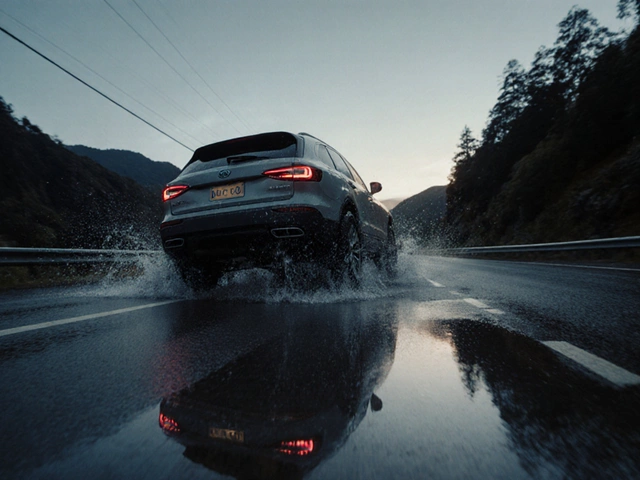
Rain causes surface rust on rotors overnight. This is normal and usually clears up after a few stops. However, frequent rain combined with city driving (lots of stop-and-go traffic) leads to rapid pad wear. The constant application of brakes generates heat, and the moisture can cause the brake fluid to absorb water over time (hygroscopic nature). Wet brake fluid boils at a lower temperature, leading to vapor lock and that spongy pedal feel we mentioned earlier. In coastal areas like North Shore or Devonport, salt spray accelerates corrosion on caliper pins and slide bolts. If these corrode, the caliper won't release properly, dragging the pad against the rotor even when you're not braking. This kills your pads and ruins your rotors in record time.
If you live near the beach or drive frequently in heavy rain, inspect your brakes every 6 months instead of the standard annual check. Clean the caliper slides regularly to prevent seizing.
When to Replace vs. When to Repair
Not every brake issue requires a full overhaul. Understanding the difference saves you from being upsold on unnecessary work.
If your pads are simply worn down but the rotors are smooth and within thickness specifications, you only need new pads. This is a straightforward job. However, if the rotors are scored (deep grooves), warped, or below the minimum thickness stamp found on the rotor hat, they must be replaced. Never machine rotors that are already thin; they will overheat and crack.
If you have a pulling sensation or uneven wear, replacing the pads alone won't fix it. You need to address the underlying mechanical issue, such as a stuck caliper or a collapsed hose. Ignoring the root cause will destroy your new set of pads within a few thousand kilometers.
How long do brake pads typically last?
On average, brake pads last between 30,000 to 70,000 kilometers. However, this varies wildly based on driving style. Aggressive drivers who ride their brakes or commute in heavy city traffic may need replacements every 20,000 km. Highway drivers who brake gently might get 80,000 km or more. Ceramic pads generally last longer than semi-metallic ones but offer slightly less initial bite.
Can I drive with bad brake pads?
You should never drive with completely worn-out pads where metal is grinding on metal. This damages the rotors, which are expensive to replace. If you hear squealing, you have a short window (a few hundred kilometers) to get them fixed safely. If you hear grinding or feel pulsation, do not drive the car. The risk of total brake failure or rotor seizure is too high.
Why do my brakes smell like burning?
A strong, acrid smell like burnt toast or sulfur usually indicates overheated brakes. This happens if you've been driving downhill for a long period, towing a heavy load, or if a caliper is stuck and dragging. Let the car cool down completely before driving again. If the smell persists after cooling, have a mechanic check for seized calipers.
Should I replace front and rear brake pads at the same time?
It is not strictly necessary to replace all four pads simultaneously since front pads wear faster. However, many mechanics recommend doing both axles if the rear pads are also below 50% thickness. This ensures balanced braking performance and saves you labor costs in the long run. Always follow your vehicle manufacturer's recommendations.
What is the difference between ceramic and metallic brake pads?
Ceramic pads are quieter, produce less dust, and are gentler on rotors, making them ideal for daily commuting and passenger cars. Metallic (semi-metallic) pads offer better heat dissipation and stronger stopping power, making them suitable for heavy vehicles, towing, or performance driving. They tend to be noisier and create more brake dust.
Write a comment